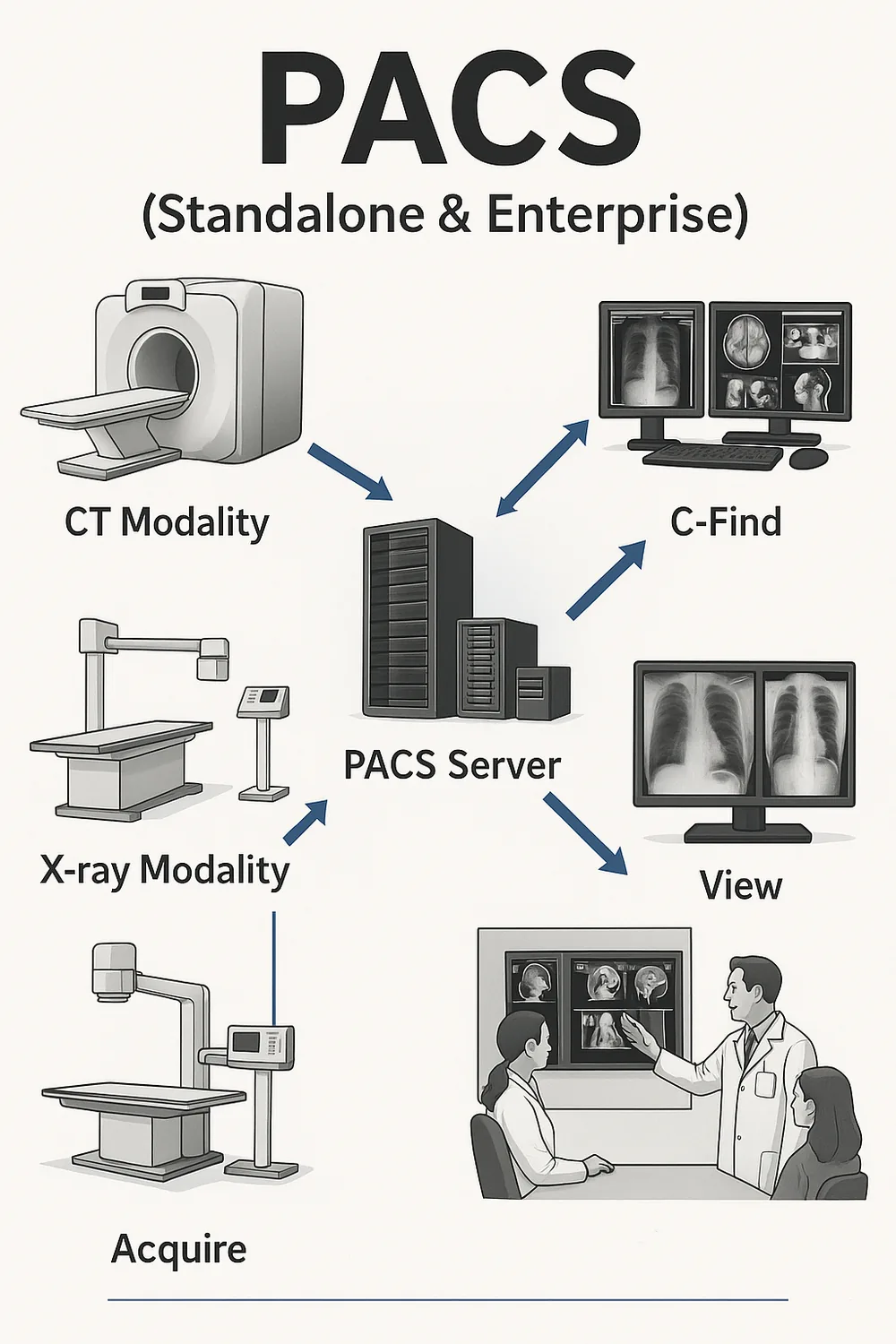
Many diagnostic centres still use film or CR cassettes. A flat panel detector (FPD) with a DR console software lets you produce digital X-ray images within seconds of exposure — often using the X-ray generator you already have.
What changes with DR
- Image in seconds instead of minutes — faster patient flow.
- No film or chemicals and no cassette handling.
- Better image quality with post-processing, and fewer repeat exposures.
- Direct to PACS — images are sent to the radiologist automatically.
RadExpert DR Console
RadExpert is DigiSoft’s acquisition console software for flat panel detectors. It manages the patient worklist, detector connection and exposure workflow, shows the image preview, applies image processing and sends the study to PACS. It also handles detector calibration files and supports adding more than one detector.
Planning checklist
- Check your X-ray generator and room setup.
- Choose detector size (e.g. 35×43 cm for general radiography) and wired or wireless model.
- Connect the console to your PACS and Modality Worklist.
- Train technologists on exposure settings and image processing.
Planning a DR upgrade? Contact DigiSoft Technology for a demonstration.